

Orders arrive written down
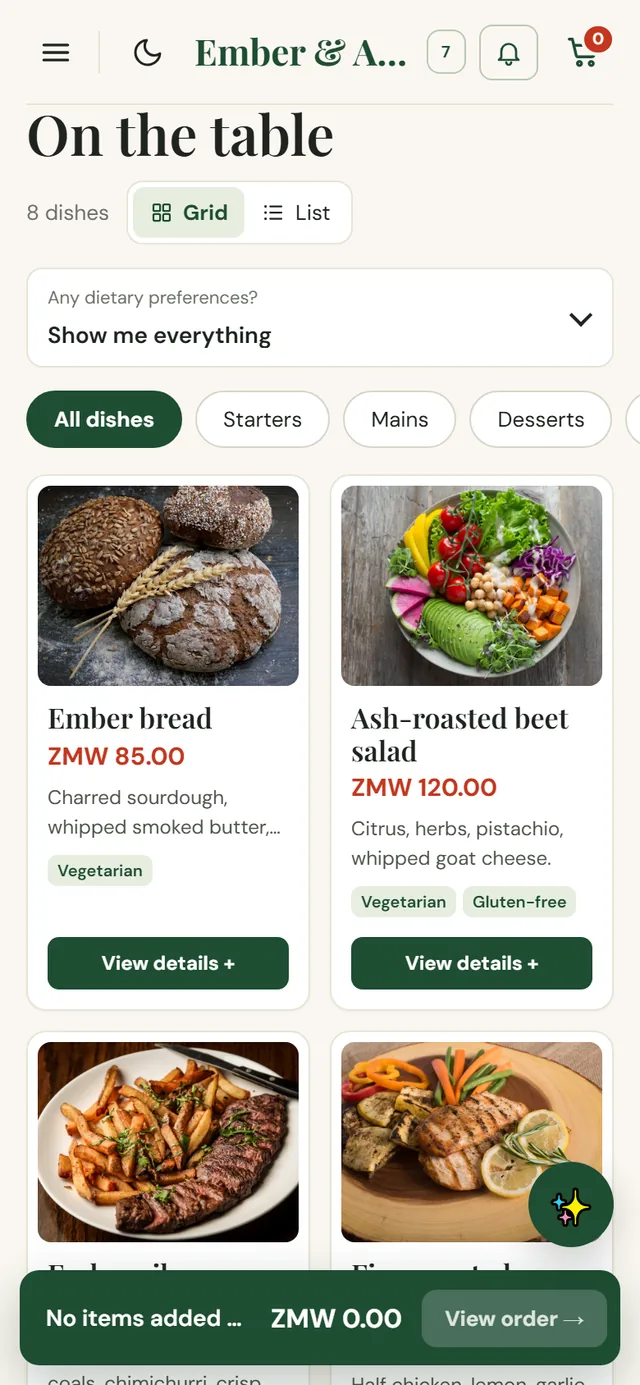
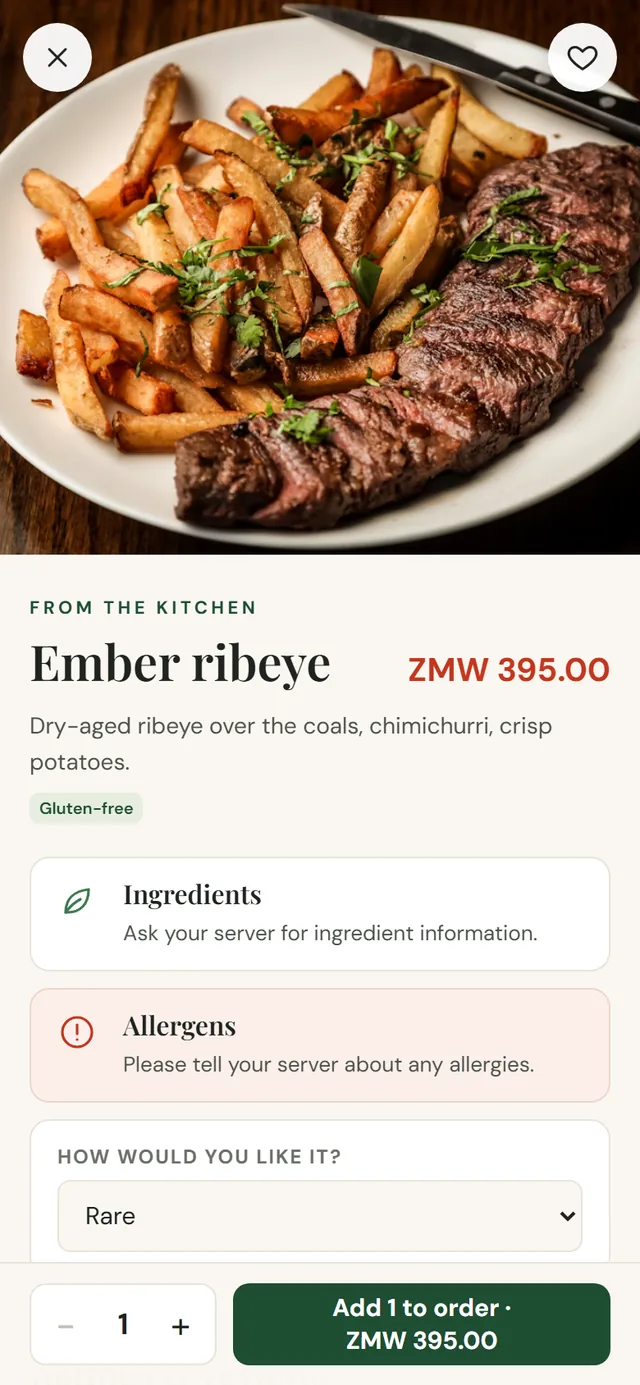
What the diner picks is what the kitchen sees, down to how the steak is cooked and which side came with it. Nothing gets lost between the table and the pass.
Table ordering for restaurants in Zambia
Diners scan the code on their table, browse your menu with photos and prices in kwacha, and order from their phone. The order reaches their waiter's tablet, the kitchen gets a ticket, and you see every sale on your dashboard.
What the diner picks is what the kitchen sees, down to how the steak is cooked and which side came with it. Nothing gets lost between the table and the pass.
Call a waiter and Ask for the bill are one tap away. The request lands on the right waiter's tablet with a chime.
Live orders, a table map and today's takings, on your phone or in the office. Change a price and every table has it straight away.

How it works
Print a QR code for each table from your dashboard. A scan opens your menu with the table number filled in.
Photos, dietary filters, steak doneness and sides. Diners sign in with Google or Apple, or order as a one-time guest once their waiter says hello.
The order rings on the waiter's tablet. Once accepted, food goes to the kitchen tablet and drinks to the bar. Ready tells the waiter to pick it up.
Cash, MTN Money, Airtel Money, Zamtel Money or card, split however the table likes, with tips. The receipt goes to the diner's WhatsApp.

Who it's for
For diners · on their phone
Big photos, clear prices, dietary tags and today's specials. Diners can add to an order that's already open, call a waiter or ask for the bill without waving across the room.
For waiters · on a shared tablet
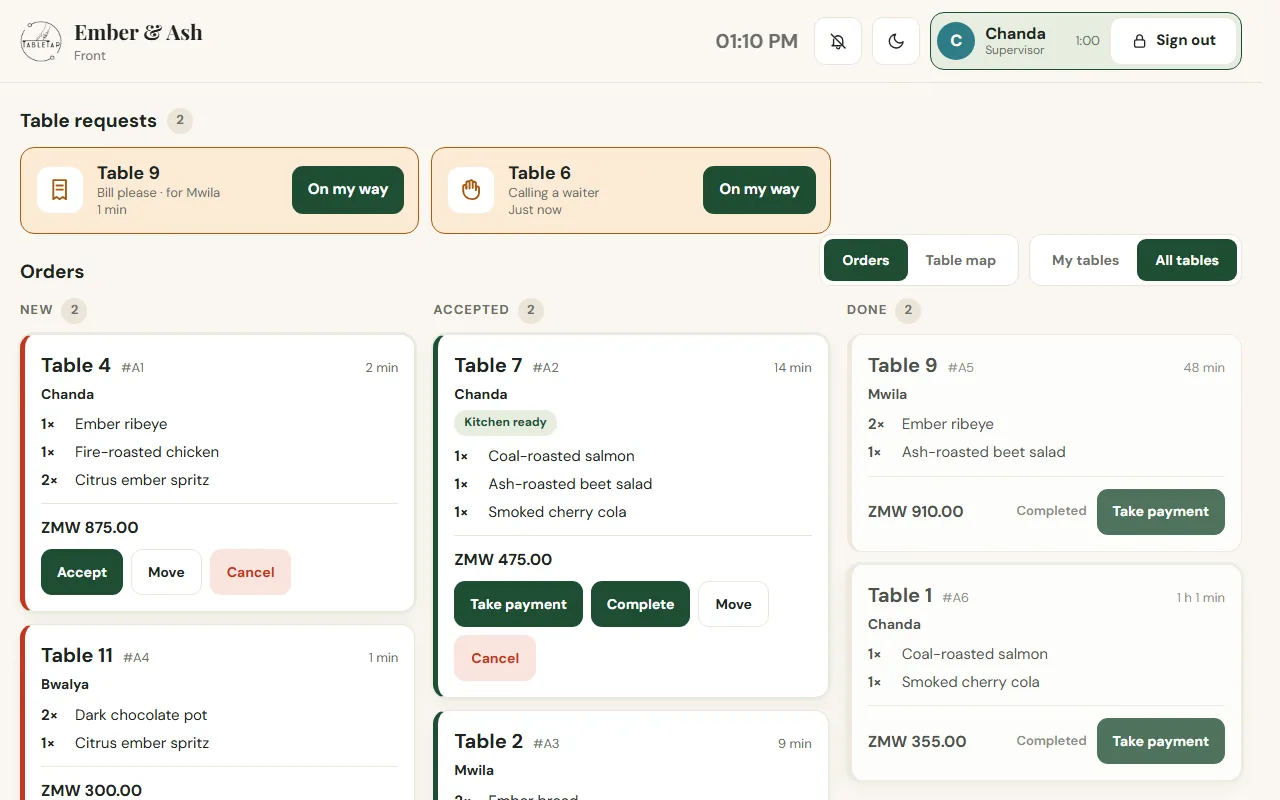
New, accepted and done orders, with every call from a table on top. Each waiter signs in with their own PIN and sees their own tables. Supervisors see them all and can move an order to someone else.
For the kitchen and bar · on a tablet
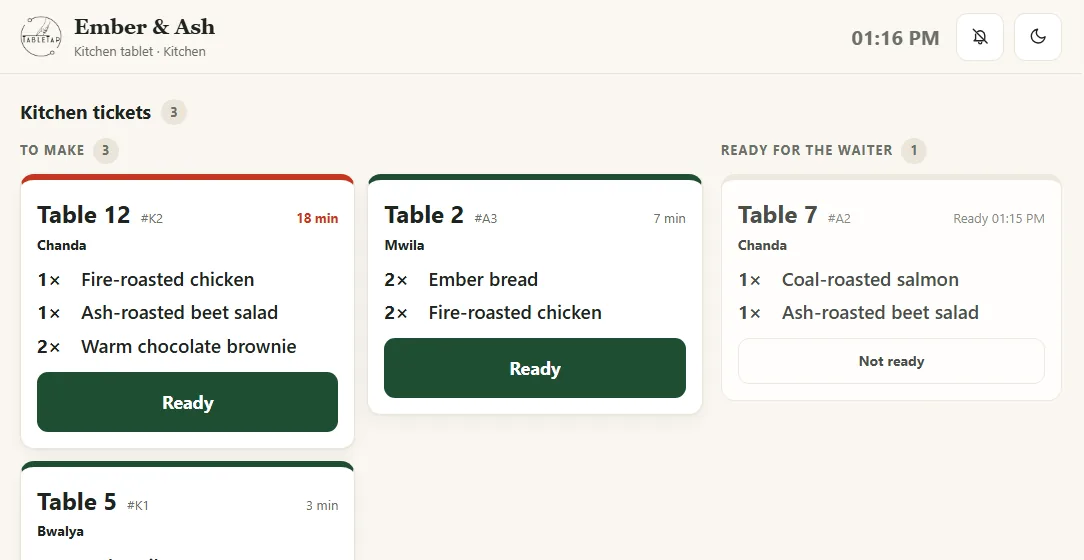
Food goes to the kitchen tablet and drinks to the bar. A tap on Ready and the waiter's tablet chimes. Nobody signs in, nobody shouts.
For owners and managers · anywhere
Today's orders, revenue, average bill, rating and top dishes at a glance. Change a price, add a photo or switch off a dish that's run out, and the menu on every table follows straight away.

Everyone at once

Analytics
Every order is counted the moment it's placed, so the numbers are there when you want them, not at the end of the month.

Features
Diners book a table from your menu page and you confirm it from the dashboard. Switch it on when you're ready.
Percentage off, a fixed price, a free item or a timed special, shown on the menu and priced right at checkout.
A PDF receipt sent to the diner's WhatsApp, with service charge, VAT and tips itemised.
Diners rate what they ate. You read every review in one place and see your average rating.
Up to 100 tables at once, named however you like, as SVG or PNG files ready to print.
Bring your whole menu in from a spreadsheet, and export it again whenever you want.
Waiter and kitchen tablets keep their orders on the device and catch up when the connection returns.
Apps for diners, waiter tablets and owners, or simply use the browser on any phone, tablet or computer.
Owners sign in with Google and a code from Google Authenticator. Every change is recorded in the audit trail.
Plans
One platform in three plans. If you change plan later, your menu, orders and history come with you.
Your digital menu
Ask us for a price
Ordering from the table
Ask us for a price
Everything in Menu, plus:
Full suite
Everything TableTap does
Ask us for a price
Everything in Order, plus:

Questions
Something else on your mind? Ask us and we'll get back to you, or call us on +260 772 073 628.
No. Scanning the code opens your menu in the phone's browser. There's an Android app for regulars who'd like one, but nobody needs it to order.
An internet connection, the printed QR codes, and a tablet or phone for the waiters: an Android tablet, or any device with a web browser. Kitchen and bar tablets are optional.
The waiter and kitchen tablets keep the orders they already have, and anything tapped while offline is sent when the connection returns. Diners need a connection to send new orders, so in the meantime your waiters take orders the usual way.
Yes. They can sign in with Google or Apple, or order as a one-time guest. A guest's waiter accepts them at the table from the tablet, and they can order for the next four hours.
Any time. Prices, photos, dishes and specials change on every table as soon as you save. When a dish runs out, switch it off and it disappears from the menu.
No, TableTap never touches your money. Diners pay the way they do today. The waiter records how each bill was paid (cash, MTN Money, Airtel Money, Zamtel Money or card), so the cash-up adds up by method at the end of the day.
Yes. Book a demo and we'll walk you through TableTap. Afterwards you get your own demo sign-in to the dashboard, which works for between a day and a week, so your team can explore at their own pace.
TableTap runs on Google's Firebase. Owners sign in with two-step verification, waiter PINs are stored only in scrambled form, and every change made from the dashboard is recorded in the audit trail.
Book a demo
Tell us about your restaurant and we'll set up a time to show you around.
Rather talk to us? Call +260 772 073 628